
Why cyber security is crucial for your website: understanding SSL and SEO implications
[Learn how securing your website with SSL can protect your business and improve your search engine ranking]
How important is cyber security to you? For many, it’s not a top priority until their website gets hacked. Anyone who has faced this problem knows just how costly and time-consuming it can be to recover. In this article, we’ll explore the importance of securing your website with SSL certificates and how it impacts your search engine rankings.
Why your website needs to be secure
Google and other web browsers have been urging website owners to secure their sites for years, but many still don’t understand the importance. Cyber security is a growing concern, with fraudsters constantly finding new ways to steal data or damage businesses. When you make purchases online, you’ve likely noticed the padlock icon in your browser—this indicates that the connection is secure. This security is achieved through SSL (Secure Sockets Layer) certificates, which encrypt the connection between your browser and the website, making it harder for hackers to intercept data.
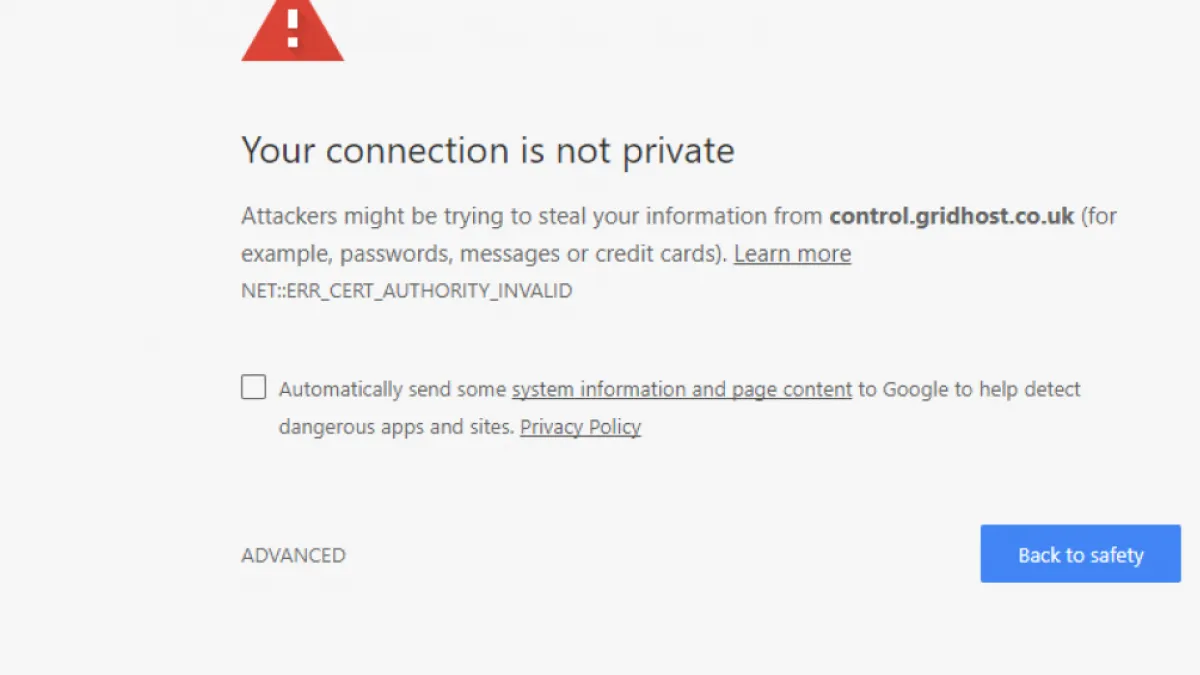
But security isn’t just about protecting your data; it’s also about maintaining user trust. Websites that are not secure may display warnings like “Your connection is not private,” which can scare away potential visitors. To avoid this, it’s essential to ensure your website is HTTPS (secure) rather than HTTP (non-secure).
How to make your website HTTPS (secure)
To secure your website, you need an SSL certificate installed on your web server. This certificate encrypts your web pages, making them secure. You can ask a web design agency or specialist to handle this for you, though your web host might offer this service as well. However, it’s important to note that simply installing an SSL certificate isn’t enough—you also need to address potential SEO issues to maintain your website’s ranking.
Types of SSL certificates
There are different types of SSL certificates, each offering varying levels of security. For most websites, a basic SSL certificate is sufficient to remove security warnings and provide a decent level of protection. However, if you run an online store, you may want to explore more advanced options to ensure the highest level of security for your transactions.
Installing an SSL certificate
Installing an SSL certificate is not straightforward, and it’s recommended to have a professional do it for you. The process involves generating security information, obtaining the SSL certificate, and then installing it on your server. This can be a long process, and it’s crucial to ensure that everything is set up correctly to avoid issues with your website’s SEO.
The SEO implications of SSL certificates
While securing your website with SSL is essential for protecting your data and boosting user trust, it can have significant implications for your search engine ranking if not done correctly. Google treats HTTP and HTTPS as two separate websites, which means that when you switch to HTTPS, Google will see it as a new website. If you don’t take the necessary SEO precautions, you could lose your current rankings, as Google may penalize what it perceives as duplicate content.
To avoid this, several changes and configuration updates are required to ensure that Google recognises your HTTPS site as the official version. This involves setting up proper redirects, updating your sitemap, and resubmitting your site to Google. Failure to do so could result in a significant drop in your website’s visibility.
Recap: what you need to do
By now, you should be considering which SSL certificate to get, who will configure it, and whether they will handle the necessary SEO work. Here’s a quick summary:
- SSL Certificate Costs: Free (Let’s Encrypt) to around £100 for an EV SSL.
- Installation Costs: £50 to £150 depending on complexity.
- SEO Work: The cost varies depending on the complexity of your website. At a minimum, you’ll need to set up HTTP to HTTPS redirects, update all web pages, and resubmit your site to Google. Budget at least £300 for this.
Securing your website is an investment in your business’s future. If you need help with SSL installation or managing the SEO implications, get in touch for a free website audit.